Can I specify a custom fee payment date?
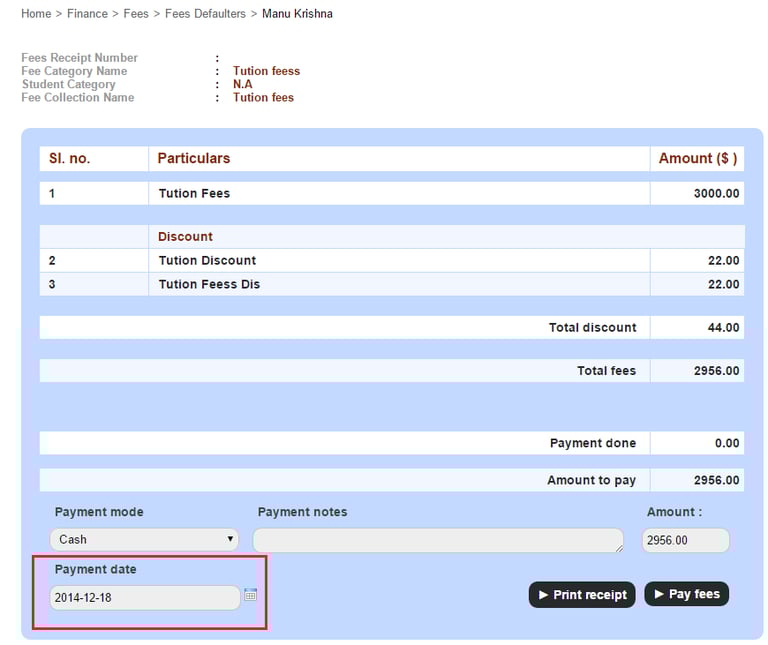
When paying finance fees, you can now select a past or future date and create a fee payment transaction. In the Finance module, the Payment date field is available on the following screens:
Fee Submission by Course – Click the module access icon > Administration > Finance > Fees > Collect the Fees > Fee Submission by Course
Fee Collection wise Payment – Click the module access icon > Administration > Finance > Fees > Collect the Fees > Fee submission for each student > Search and select the student > Fee Collection wise Payment
Pay All Fees – Click the module access icon > Administration > Finance > Fees > Collect the Fees > Fee submission for each student > Search and select the student > Pay All Fees
Particular Wise fee Payment – Click the module access icon > Administration > Finance > Fees > Collect the Fees > Particular Wise fee Payment
Fee Defaulters – Click the module access icon > Administration > Finance > Fees > Fees Defaulters
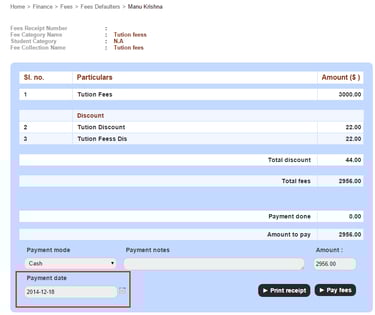
Select any of the mentioned screens and edit the payment date for the individual as depicted in Fig1.
Contact
Get in touch with our support team anytime.
Phone
info@sharakshara.com
+91 8073157220
© 2025. All rights reserved.