Can I view all the important information about the batches at a glance?
Yes, We can can view all important information about an active batch on the Batch summary page. When a batch is fully functional, Administrators and privileged employees (Manage Course/Batch privilege must be provided or the employee must be a tutor for a batch) can be accessed through:
Click the module access icon > Administration > Settings > Manage Course/Batch > Manage Course > Select a course > Click on a batch
For tutors only – Click the module access icon > Academics > Batch summary > Select a batch
The Batch summary page consists of the following tabs, each displaying specific information related to the batch.
Students – View the list of students in the batch along with their admission number and roll number.
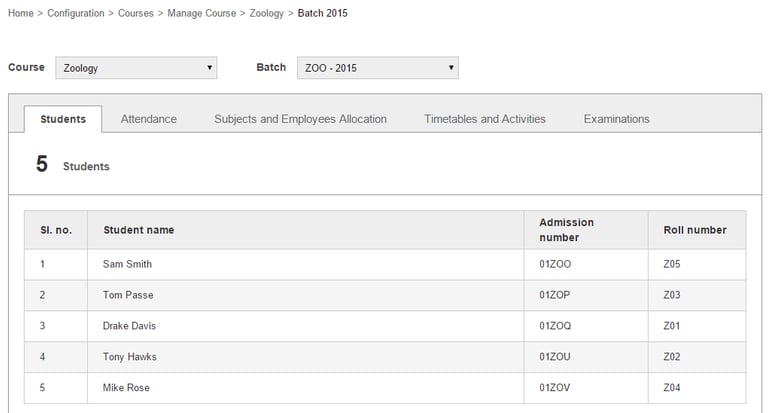
You can click on a student name to access the student’s profile.
Attendance – View the student attendance details for the day. This is available only if you mark attendance Daily.
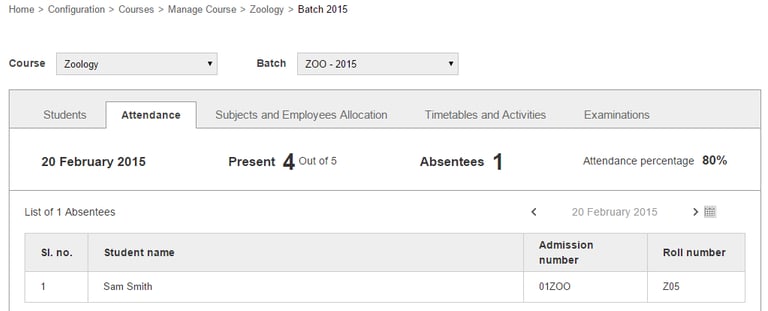
Subjects and Employees Allocation – View the subject and employee allocation details for a timetable.
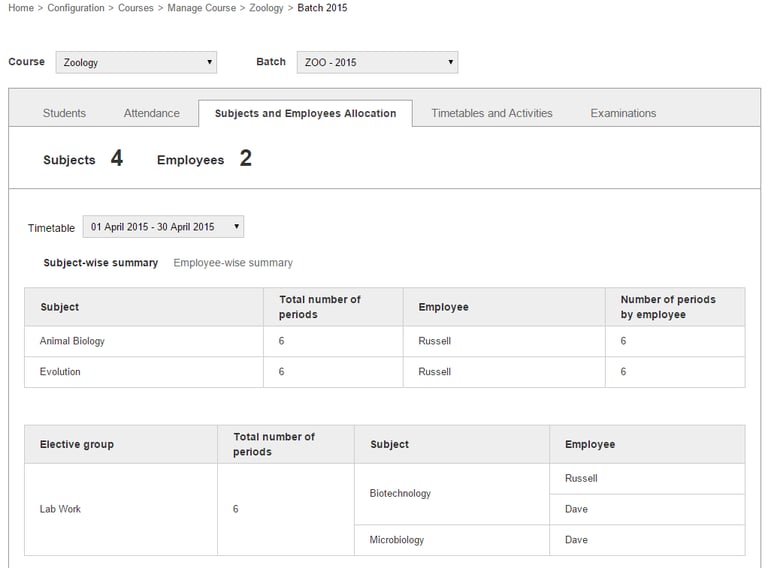
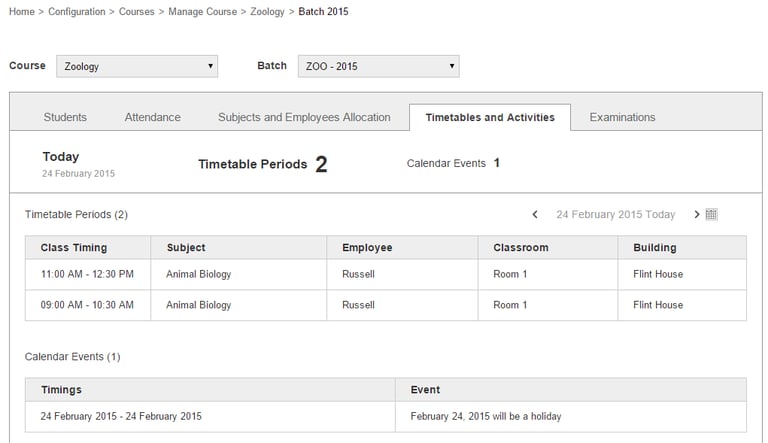
Timetables and Activities – View the timetable for the day along with class room allocation details, and calendar event details.
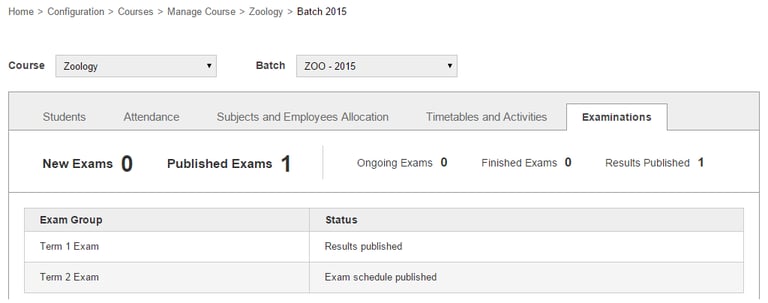
Examinations – View the examination status details created in Examination module.
Contact
Get in touch with our support team anytime.
Phone
info@sharakshara.com
+91 8073157220
© 2025. All rights reserved.