How can I add Asset under Asset Liability Management?
An asset is an item owned by the institution. For example, land, buildings, equipment.
At the top of your dashboard, click the module access icon > Administration > Finance > Asset Liability Management > Asset to open the Assets page.
Click Create.
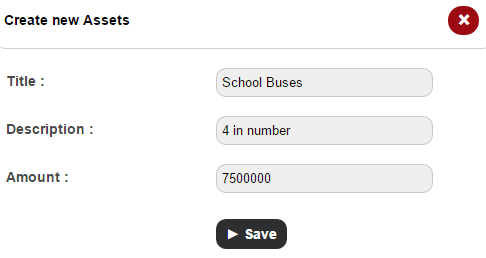
In the Title field, enter the name of the asset.
In the Description field, enter a short description about the asset.
In the Amount field, enter the value of the asset.
Click the Save button.
Contact
Get in touch with our support team anytime.
Phone
info@sharakshara.com
+91 8073157220
© 2025. All rights reserved.