How can I add Source of Information in Enquiry module
You can now get the details of the source from where the applicant came to know about the institution. To enable this feature you have to add the possible source of Information as follows,
Step 1: Click on Menu > Academics > Applicant > Enquiry > Settings > Enquiry Settings
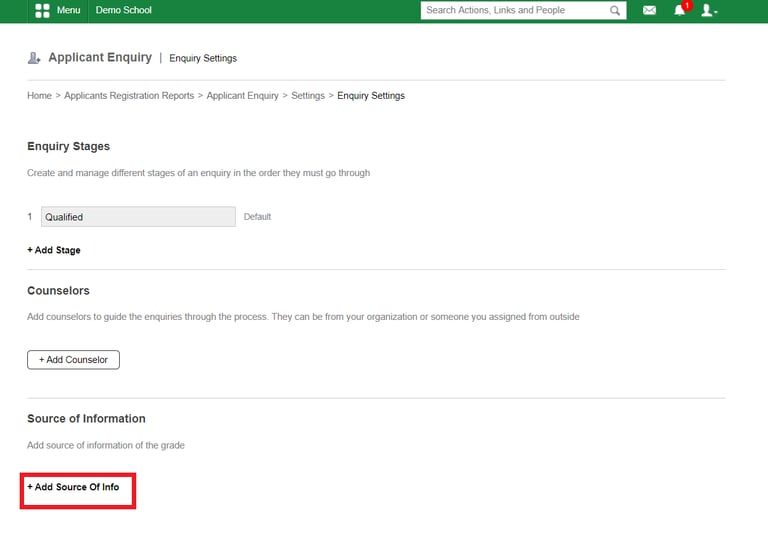
Step 2: Click on + Add Source of Info
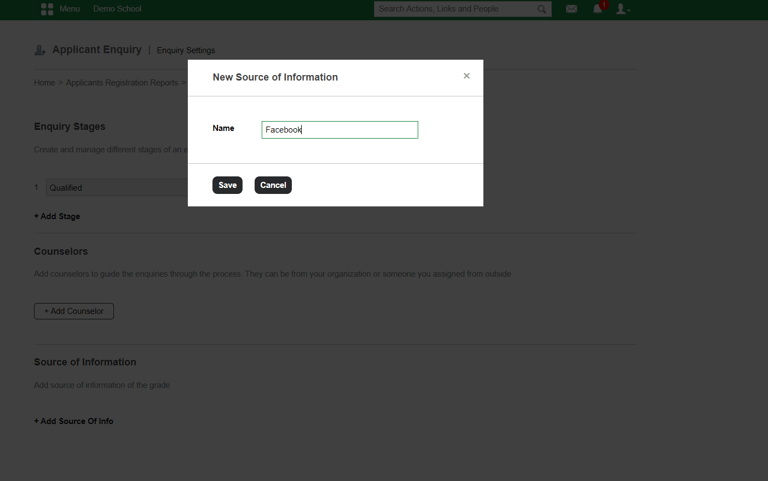
Step 3: Add the possible Source details
Contact
Get in touch with our support team anytime.
Phone
info@sharakshara.com
+91 8073157220
© 2025. All rights reserved.