How can I create a additional admin account in Sharakshara?
Sometimes the default administrator may need support in managing Sharakshara. To help share the responsibility, a temporary administrator account can be created. A temporary administrator account can only be created by the default administrator or a privileged employee (Manage Users privilege is required). The temporary administrator will have full administrator privileges. However, being a temporary account, attendance cannot be marked for this account user and internal messages cannot be sent to this account user.
Note: We recommend creating a temporary administrator account only if it is really necessary. The temporary administrator account can be deleted.
At the top of your dashboard, click the module access icon > Administration > User to open the Manage Users page.
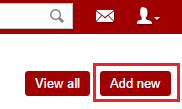
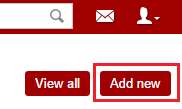
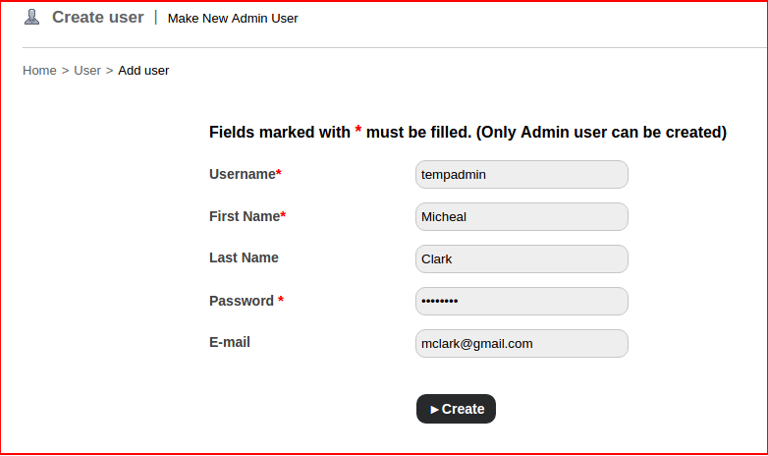
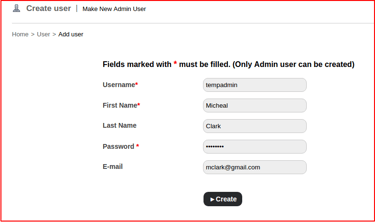
In the top right, click the Add new button as shown in Fig 1 to open the Create User page as shown in Fig 2 .
In the Username field, enter a username that will be used to log in.
In the First name field, enter the first name of the administrator.
In the Last name field, enter the last name of the administrator.
In the Password field, enter a password that will be use to log in.
In the Email field, enter the email address of the administrator.
Once the data is entered , you can click Save to create the second admin profile.
Contact
Get in touch with our support team anytime.
Phone
info@sharakshara.com
+91 8073157220
© 2025. All rights reserved.