How can I create or add liability?
Liabilities are items owed by the institution. It can be money or a service that must be performed.
At the top of your dashboard, click the module access icon > Administration > Finance > Asset Liability Management > Liability to open the Liability page.
Click Create.
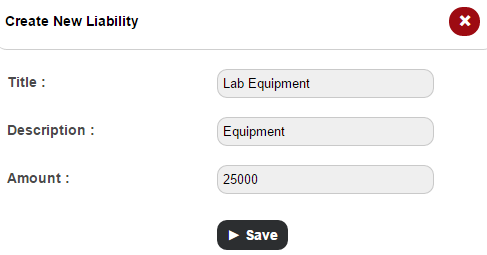
In the Title field, enter the name of the liability.
In the Description field, enter a short description about the liability.
In the Amount field, enter the value of the liability.
Click the Save button.
Contact
Get in touch with our support team anytime.
Phone
info@sharakshara.com
+91 8073157220
© 2025. All rights reserved.