How can I edit/delete building details in timetable?
Building details can be edited at any time. However, you cannot delete a building record that has rooms that have already been allocated to classes.
At the top of your dashboard, click the module access icon > Academics > Timetable > Class Room Allocation > Manage Buildings to open the Manage Buildings page.
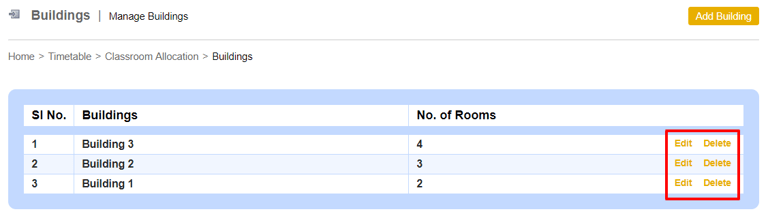
2. Click Edit to edit and save the building details.
3. Click Delete to delete the building details.
Contact
Get in touch with our support team anytime.
Phone
info@sharakshara.com
+91 8073157220
© 2025. All rights reserved.