How can I view grouped exam report for a batch?
The Grouped Exam Report displays total percentage obtained by each student for all connected exams. At the top of your dashboard, click the module access icon > Academics > Examination > Reports center > Grouped Exam Report.
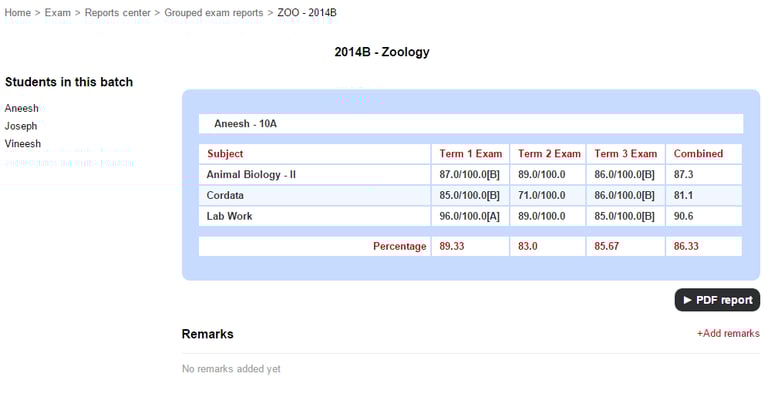
Select a batch, and then click the View button.
To add any remarks, click Add remarks.
Enter the remarks and click the Submit button.
Click the PDF report button to generate a PDF report of a student’s results.
Contact
Get in touch with our support team anytime.
Phone
info@sharakshara.com
+91 8073157220
© 2025. All rights reserved.