How can I view student ranking per school?
The Student Ranking per School report ranks all students in the institution according to their total combined percentage. At the top of your dashboard, click the module access icon > Academics > Examination > Reports center > Student Ranking per School.
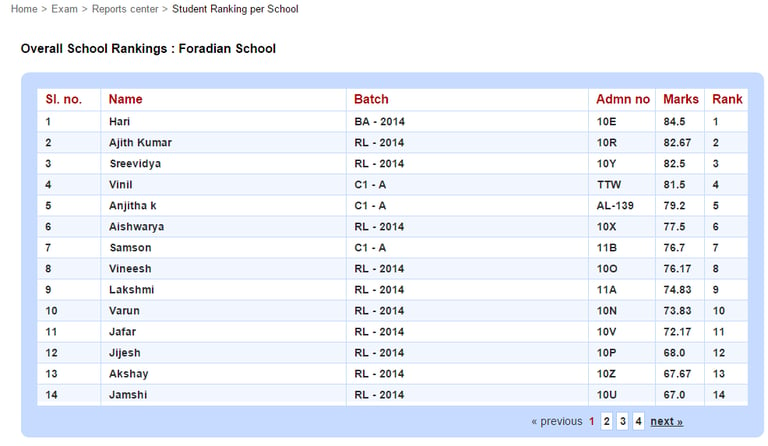
In the top right, click the PDF report button to generate a PDF report or click the CSV report button to generate a CSV report.
Contact
Get in touch with our support team anytime.
Phone
info@sharakshara.com
+91 8073157220
© 2025. All rights reserved.