How can teachers view their allocated classrooms in their account?
Teachers can view their allocated classrooms from their user profile.
At the top of your dashboard, click the module access icon > Academics > My Profile to open your profile.
In the top right, click the More > Activities to open the Activities page.
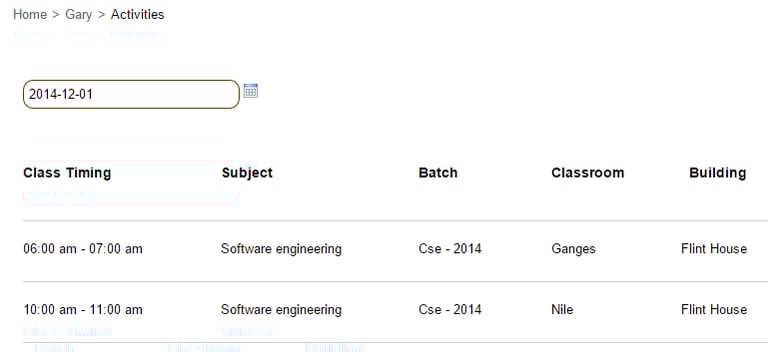
Select a date. The corresponding classroom allocation details are displayed.
Contact
Get in touch with our support team anytime.
Phone
info@sharakshara.com
+91 8073157220
© 2025. All rights reserved.