How can we generate report on employees associated with subjects?
The Employee subject association Details report lists all active employees and their associated subjects for a batch.
At the top of your dashboard, click the module access icon > Data and Reports > Reports > Employee subject association Details.
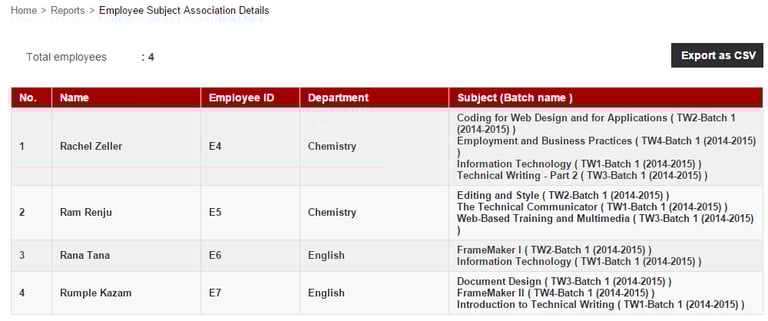
Click the Export as CSV button to export the details as a CSV file.
When the file status changes from In Queue to Download, click Download and save the file to your system. This step may take a while.
Note: Make sure to keep refreshing the web page.
Contact
Get in touch with our support team anytime.
Phone
info@sharakshara.com
+91 8073157220
© 2025. All rights reserved.