How can we view students in a batch?
Students in a batch can be accessed by any of the below given methods available in Fedena :
Administrator/Tutor – Click the module access icon > Academics > Batch summary > Select a batch
Click the module access icon > Administration > Settings > Manage Course/Batch > Manage Course > Select a course > Click on a batch
Click the module access icon > Administration > Settings > Manage Course/Batch > Manage Batch > Select a course > Click on a batch
The Batch summary page consists of the following tabs, each displaying specific information related to the batch.
Students – View the list of students in the batch along with their admission number and roll number.
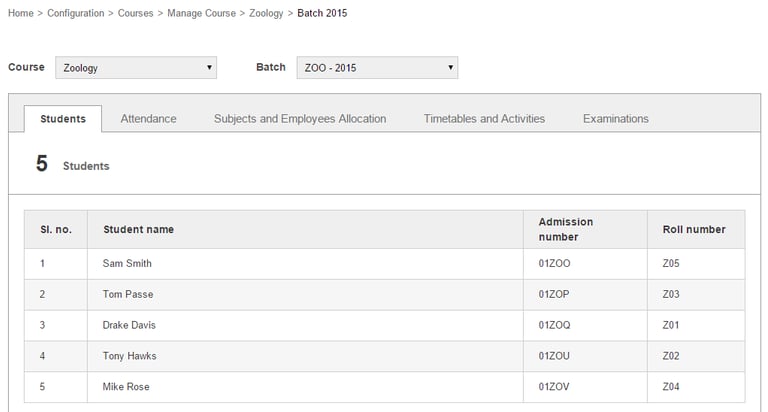
You can click on a student name to access the student’s profile.
Contact
Get in touch with our support team anytime.
Phone
info@sharakshara.com
+91 8073157220
© 2025. All rights reserved.