How to access the Settings / Configuration page
Sharakshara App comprises various modules and add-ons designed to efficiently manage all administrative, academic, and learning-related activities of an institution. The Menu available at the top of the dashboard provides easy access to all core modules and enabled features that your institution can use within the Sharakshara App.
Menu->Administration->Setting
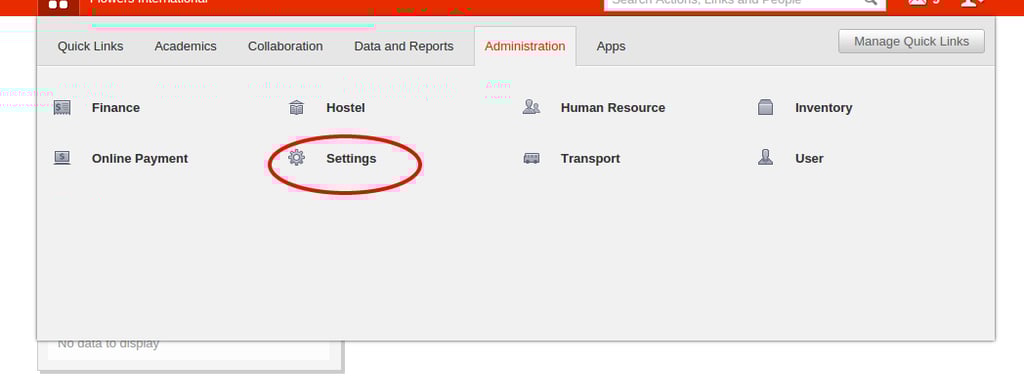
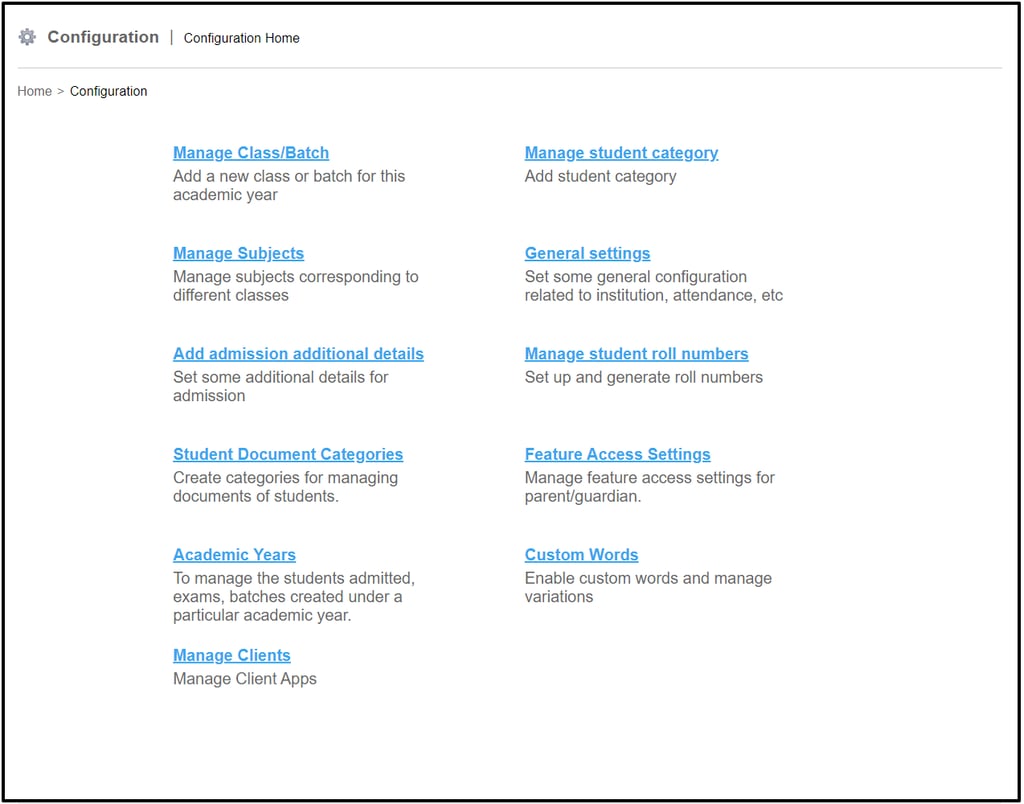
It displays the Configuration Home page within Fedena depicted in Fig 2.
Contact
Get in touch with our support team anytime.
Phone
info@sharakshara.com
+91 8073157220
© 2025. All rights reserved.