How to activate or inactivate course for online registration?
A course can be activated for online registration while setting it up or at a later time. When a course is active, applicants can register for the course online. When a course is not active, applicants will not be able to register.
Click the module access icon > Academics > Applicant Registration.
In the top right, click the Manage Courses button.
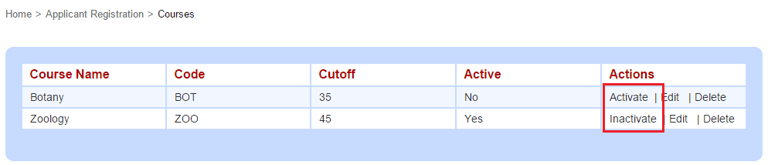
Click Activate or Inactivate.
Contact
Get in touch with our support team anytime.
Phone
info@sharakshara.com
+91 8073157220
© 2025. All rights reserved.