How to create a Task?
At the top of your dashboard, click the module access icon > Collaboration > Tasks.
In the top right, click the New Task button.
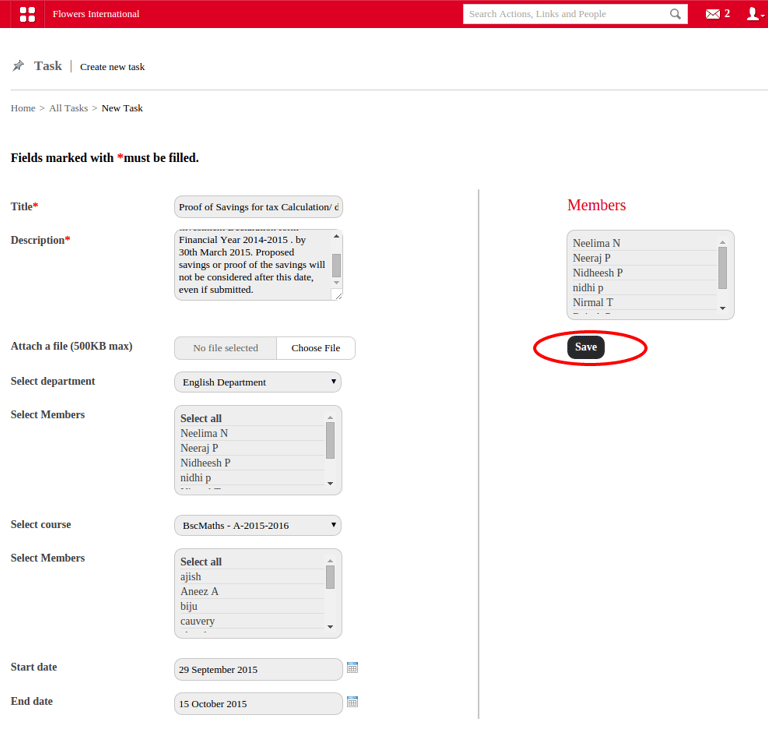
In the Title as well as description field, enter the name of the task as well as brief description . These are mandatory fields.
Attach file if necessary, select department, course, start and end date . After that click on save
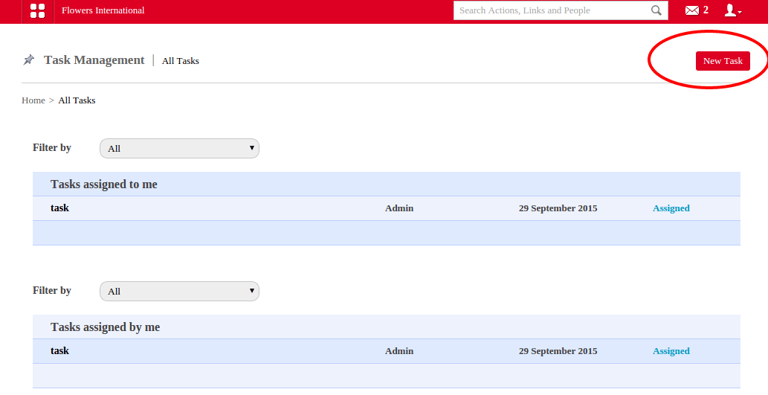
Refer the figure given below.
Contact
Get in touch with our support team anytime.
Phone
info@sharakshara.com
+91 8073157220
© 2025. All rights reserved.