How to create an item category?
Item categories are used to group store items together. Item categories are only used when recording a sellable item.
Atthetop of your dashboard, click the module access icon >Administration>Inventory>Item Category.
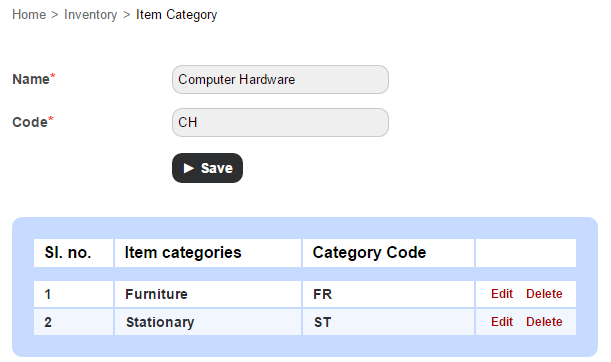
In the Name field, enter the name of the item category.
In the Code field, enter the item category code. The code for each item category must be unique.
Click the Save button.
Contact
Get in touch with our support team anytime.
Phone
info@sharakshara.com
+91 8073157220
© 2025. All rights reserved.