How to edit an event?
Only holiday and General events can be edited from the Calendar. Other events such as examinations and book/fee dues must be edited from their respective modules.
To edit a holiday event:
To edit a holiday/general event: At the top of your dashboard, click the module access icon > Academics > Calendar to open the Calendar.
Hover over the green/black icon that indicates a Holiday/General Event. The event details are displayed on the right.
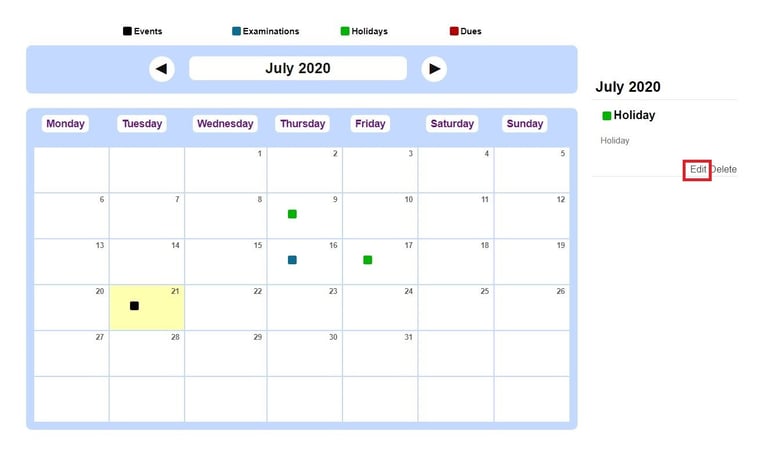
Click Edit beside the event details.
Make the changes and click the Update event button.
Contact
Get in touch with our support team anytime.
Phone
info@sharakshara.com
+91 8073157220
© 2025. All rights reserved.