How to edit or delete a task?
At the top of your dashboard, click the module access icon > Collaboration > Tasks.
Filter by all task assigned. Then click on the particular task.
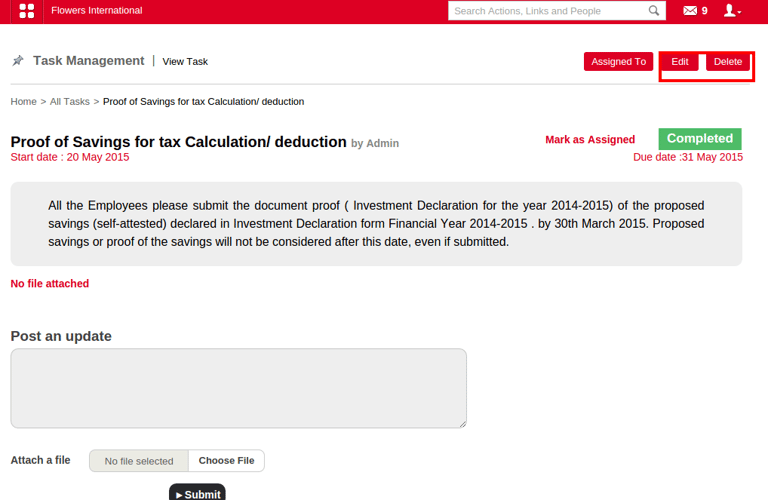
Click on Edit or Delete to perform the operation.
Contact
Get in touch with our support team anytime.
Phone
info@sharakshara.com
+91 8073157220
© 2025. All rights reserved.