How to embed Enquiry form in your Website
Enquiry form in Fedena can also be embedded in your school website easily to reach more audiences.
It can be done by following the below simple steps-
1. Go to
Menu >> Academics >> Applicants >> Enquiry >> Settings >> Form settings >> Embed Form
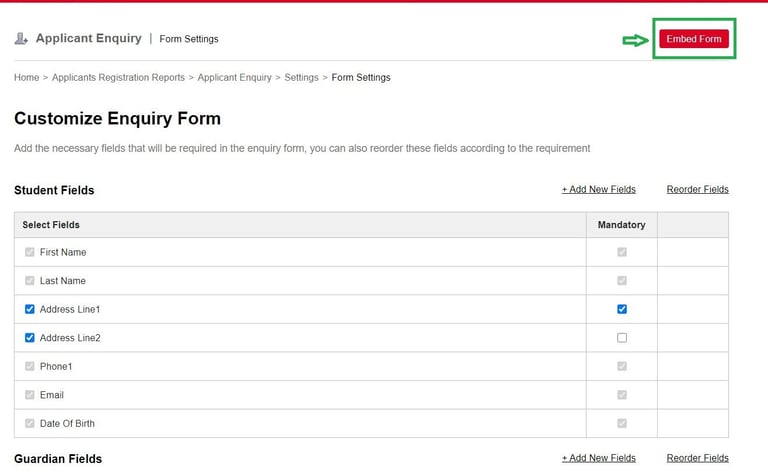
2. Click on Embed Form and copy the HTML code.
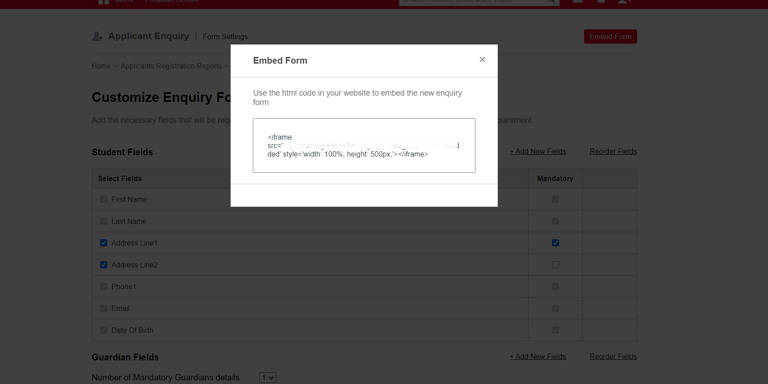
3. Paste the code in your website HTML code. (Please get the help you website developer if you are not sure how to do this.)
Contact
Get in touch with our support team anytime.
Phone
info@sharakshara.com
+91 8073157220
© 2025. All rights reserved.