How to set roll number prefix for a course?
Before assigning student roll numbers, you can set the roll number prefix for a course. The prefix set for a course is then automatically applied to all batches under that course and also applied to all students in each batch. The roll number prefix can contain a maximum of six alphanumeric characters.
At the top of your dashboard, click the module access icon >Administration>Settings>Manage student roll numbersto open theManage roll number page.
Click Set roll number prefix beside a course.
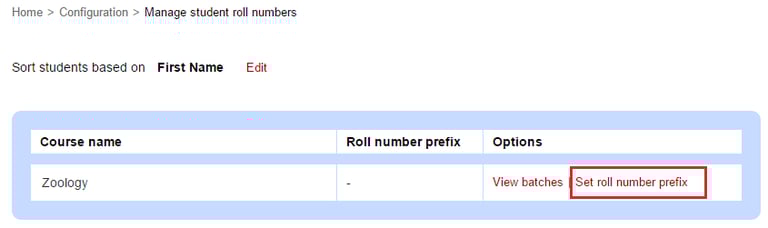
Enter the roll number prefix.
Click the Save button.
Contact
Get in touch with our support team anytime.
Phone
info@sharakshara.com
+91 8073157220
© 2025. All rights reserved.