Mark the attendance in Lock mode
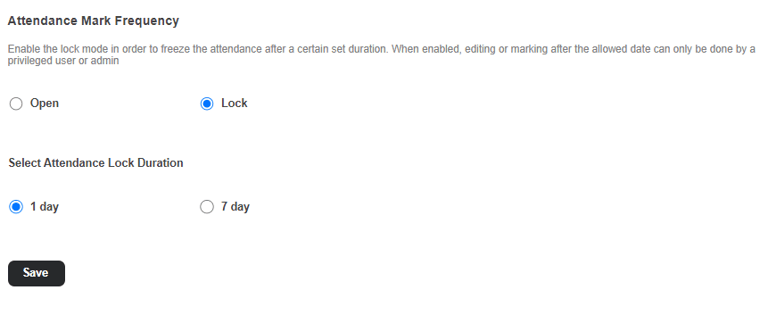
The lock mode can be used to prevent attendance from being modified after a specified duration. Once enabled, only privileged users or administrators will be able to edit or mark attendance beyond the allowed date.
The Lock mode can be enabled by following the below steps
Menu > Academics > Attendance > Attendance Settings
Select Lock and select the lock duration as shown in the above figure.
After the Lock duration, the attendance will be automatically lockedClick on 'Save' to save the settings
To mark the attendance and lock the attendance:
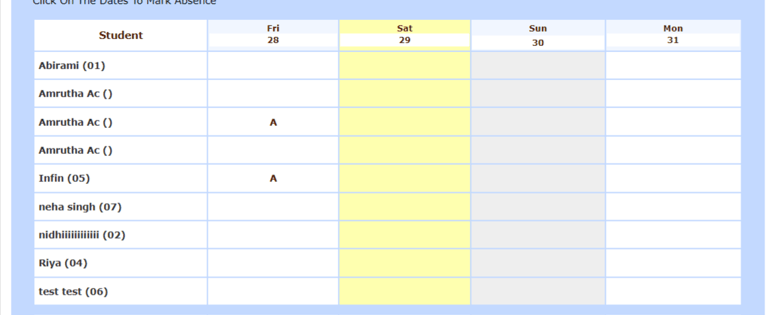
Select the Date for which the attendance to be marked. Selected date will be highlighted in yellow colour as shown in the below image
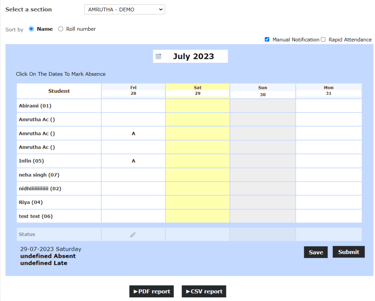
After marking absent you can save and submit it. The attendance will be locked. Lock symbol & a flash message is displayed
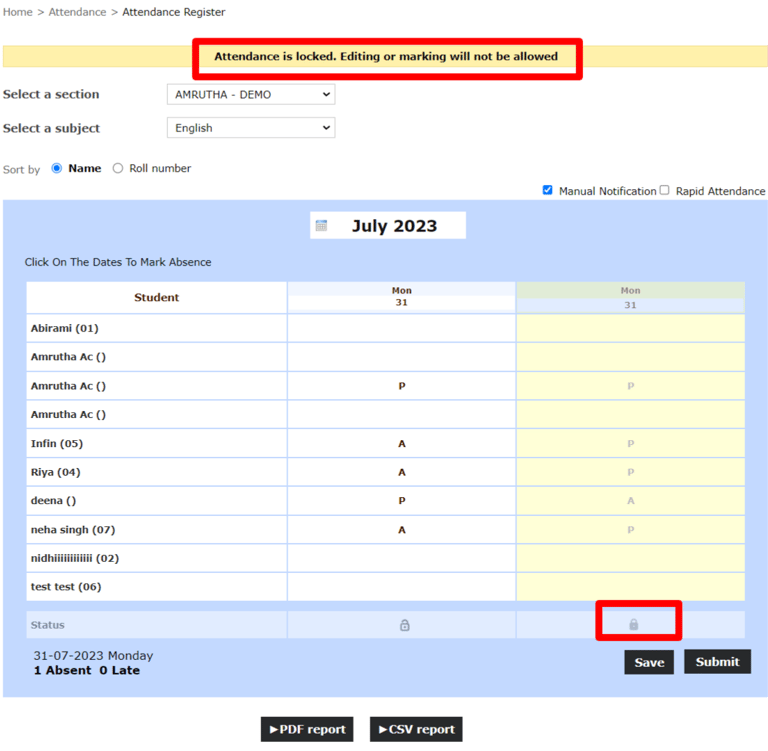
Save - Save the attendance using this option. You can edit the attendance after entering.
Submit - If you click on Submit, the attendance will be submitted and locked.
Contact
Get in touch with our support team anytime.
Phone
info@sharakshara.com
+91 8073157220
© 2025. All rights reserved.