How to add exams in Sharakshara
Once the planner is created add exams for each term by -
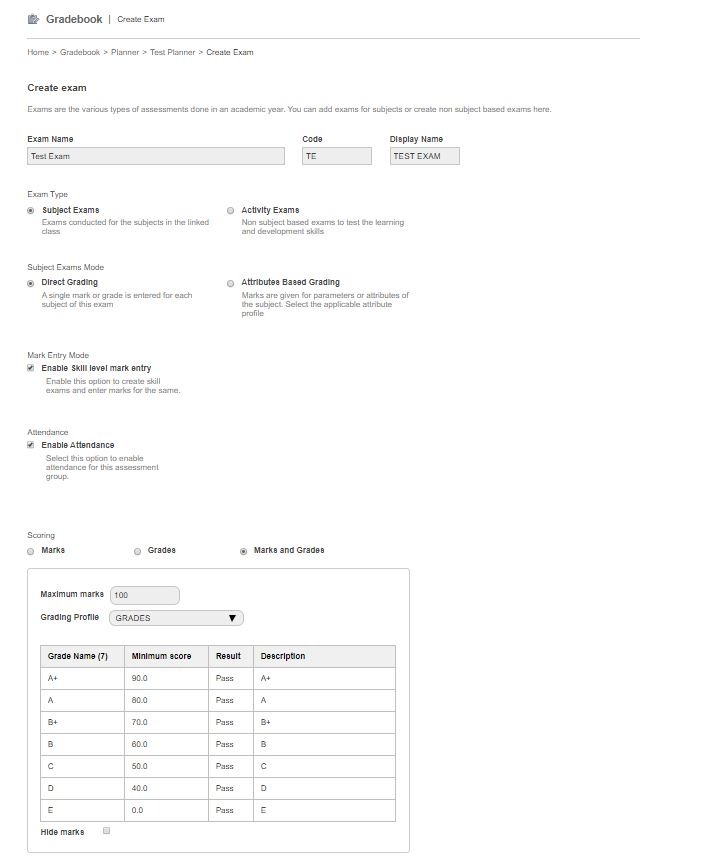
1. Select Add exams. Specify Exam name, code and display name for the exam.
2. Choose the correct
exam type – Subject exam or activity exams or derived exam
exam mode – Direct grading or attribute-based grading
mark entry mode - whether to enable or disable skill level mark entry
choose the scoring method - whether grading is based on marks, grades or marks, and grades.
Contact
Get in touch with our support team anytime.
Phone
info@sharakshara.com
+91 8073157220
© 2025. All rights reserved.